The VIVO Dual Ultrawide Monitor Desk Mount review is for anyone planning a two-screen setup with large displays and looking to free up desk space.
Its broad range of movement, adjustable height, and choice of clamp or grommet installation make it adaptable to different workspaces.
VIVO Dual Mount Review Summary
The quick verdict
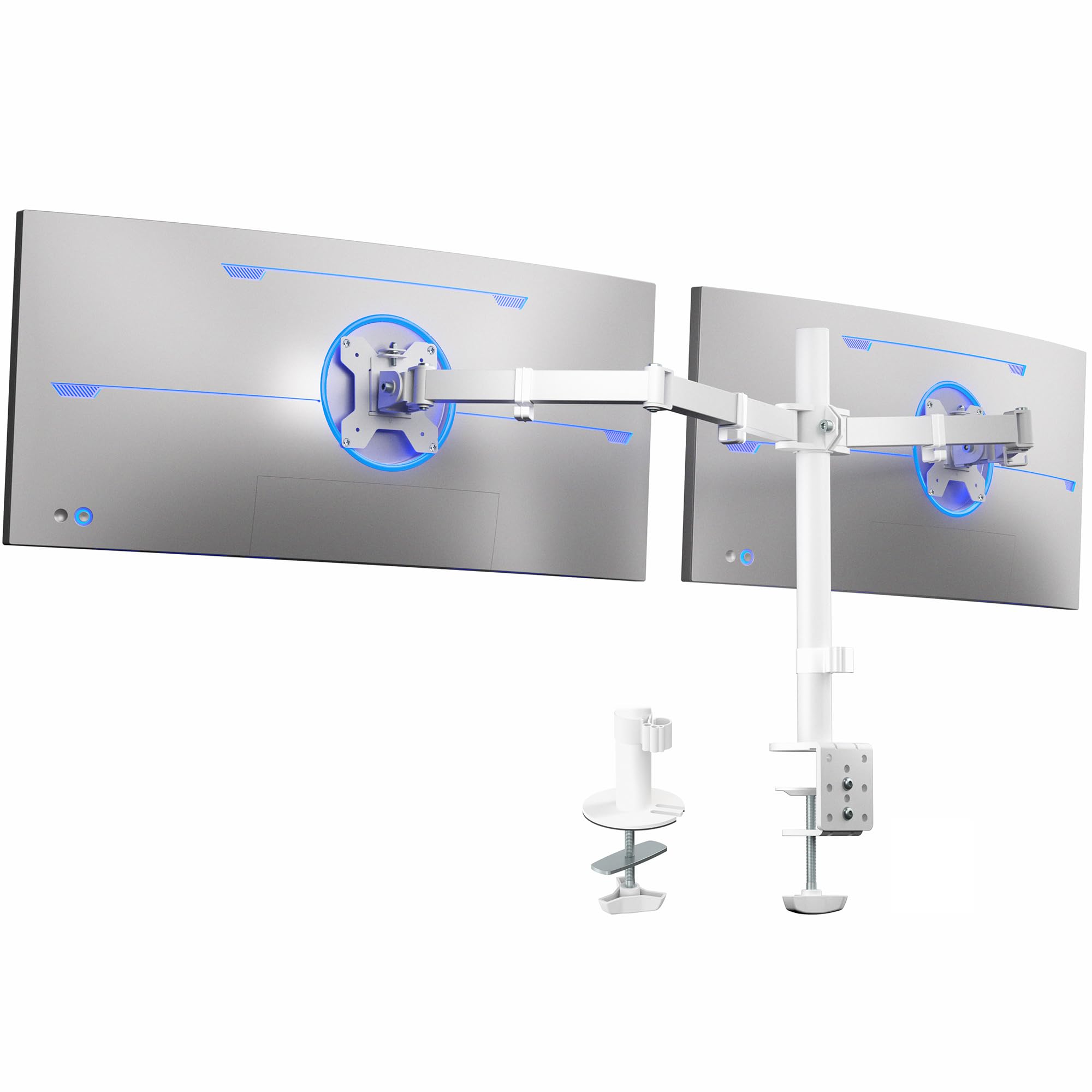
60,000+ ratings
Read Amazon ReviewsVIVO Dual Ultrawide Monitor Desk Mount
A flexible desk mount for users who want to position two VESA-compatible ultrawide monitors and reclaim desktop space.
- Supports two monitors, each up to 38 inches and 22 pounds.
- Compatible with VESA 75x75mm and 100x100mm mounting holes.
- Offers +90° to -90° tilt, 180° swivel, 360° rotation, and height adjustment along the center pole.
- Allows portrait or landscape monitor orientation.

Pros
- Accommodates two large displays, with a stated maximum of 38 inches and 22 pounds per monitor.
- Offers broad adjustment, including full rotation and a generous tilt range.
Consider before buying
- Both monitors must meet the weight limit and have one of the supported VESA patterns; check the display specifications before ordering.
- The clamp needs a desk surface no thicker than 3.25 inches; measure the intended mounting point and check for obstructions below it.
Read the full review summary
This mount supports two monitors up to 38 inches and 22 pounds apiece, with VESA 75x75mm or 100x100mm mounting patterns.
Each screen can tilt, swivel, rotate, and move vertically along the center pole, allowing the pair to be arranged in portrait or landscape orientation.
It is best suited to people who want two large screens on one desk-mounted support and whose desk can accommodate its clamp or optional grommet mount.
Before buying, check each monitor’s weight and VESA pattern, and confirm the desk edge or grommet location works with your layout.
The buying factors
VIVO Dual Mount Scorecard
Editorial scores reflect listed features and buyer fit; they are not laboratory measurements or customer ratings.
Large-screen support
Each arm supports a monitor up to 38 inches and 22 pounds, making the mount suitable for many ultrawide setups.
Positioning flexibility
Tilt, swivel, rotation, and height adjustment allow a wide range of viewing arrangements.
Mounting options
A C-clamp or optional grommet installation gives buyers two ways to secure the mount to the desk.
Cable organization
Clips along the arms and center pole help route cables out of the main workspace.
Setup convenience
Detachable VESA plates and included assembly hardware are intended to make monitor attachment more manageable.
Desk-space recovery
Supporting both displays above the desktop can open up room beneath them for everyday work items.
Key Features and Specifications of VIVO Dual Mount
- Supports two monitors, each up to 38 inches and 22 pounds.
- Compatible with VESA 75x75mm and 100x100mm mounting holes.
- Offers +90° to -90° tilt, 180° swivel, 360° rotation, and height adjustment along the center pole.
- Allows portrait or landscape monitor orientation.
- Attaches to desk surfaces up to 3.25 inches thick with a C-clamp, or can use the optional grommet mount.
- Detachable VESA plates, assembly hardware, instructions, and cable clips are included.
Pros and Cons of VIVO Dual Mount
Pros
- Accommodates two large displays, with a stated maximum of 38 inches and 22 pounds per monitor.
- Offers broad adjustment, including full rotation and a generous tilt range.
- Provides both clamp and optional grommet mounting approaches.
- Cable clips along the arms and pole help keep wiring organized.
Consider before buying
- Both monitors must meet the weight limit and have one of the supported VESA patterns; check the display specifications before ordering.
- The clamp needs a desk surface no thicker than 3.25 inches; measure the intended mounting point and check for obstructions below it.
- The paired-monitor arrangement requires enough desk width and depth for the displays and their range of movement.
Who Should Buy VIVO Dual Mount?
Good fit
Consider this mount if you already own, or are planning, two large VESA-compatible monitors and want to adjust their viewing angles without placing their stands on the desk.
Height adjustment along the center pole and portrait or landscape orientation give you room to tailor the arrangement to your work.
It is also a practical fit for a desk where a clamp or grommet installation is suitable.
Check the two monitors individually for size, weight, and VESA pattern, then verify the desk thickness and mounting location before committing to the setup.
Who should skip it
Choose a different style of stand if your displays exceed the stated size or weight limits, lack the supported mounting holes, or if your desk cannot accept either the clamp or grommet approach.
This two-monitor mount may not suit a workspace that cannot accommodate the combined screens in the desired position. Measure your desk and consider how far the monitors need to extend or turn.
How the VIVO Dual Mount fits a two-screen desk
Check monitor fit before installation
The size limit is only one part of compatibility: each display also needs to weigh no more than 22 pounds and use a 75x75mm or 100x100mm VESA pattern.
Confirm all three details for both monitors, especially if one screen is unusually wide or has a nonstandard stand attachment.
Use the movement to shape your layout
The arms provide tilt from +90° to -90°, 180° of swivel, and 360° rotation, while the brackets can move in height along the center pole.
That range can support side-by-side viewing angles or portrait orientation, depending on the screen and available workspace. Plan the intended positions before tightening the installation.
Choose the desk attachment that works
The C-clamp fits a desk surface up to 3.25 inches thick; an optional grommet mount is another installation route. Measure the surface where the mount will sit and inspect the underside for clearance.
This check helps determine whether either method fits the desk without forcing an awkward position.
Keep cables and desktop space in view
Clips on the arms and center pole offer a path for organizing monitor cords as the screens are positioned.
Raising two displays can also leave more of the desktop available below them, though the actual usable space depends on how the monitors are arranged and where the mount attaches.
Alternatives to VIVO Dual Mount
Computer Monitor Arms alternative
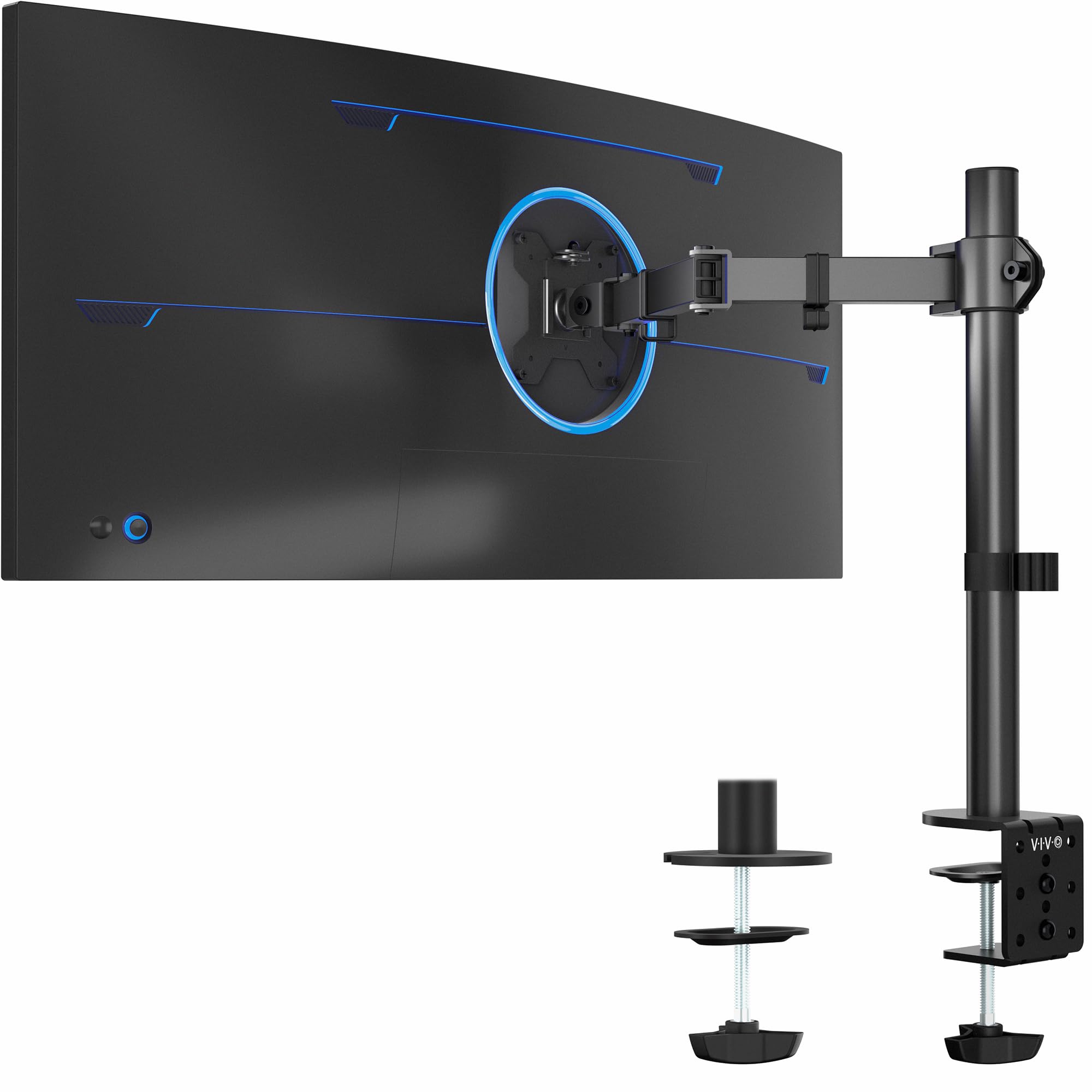
20,000+ ratings
Read Amazon ReviewsVIVO Single Monitor Desk Mount
Choose the main model when you need one desk-mounted setup for two ultrawides. The single-arm alternative is a better fit for a one-screen workspace or when you prefer to mount only one display.
- This single-arm model supports one monitor up to 38 inches and 22 pounds, with VESA 75x75mm or 100x100mm mounting, height adjustment up to 16 inches, and C-clamp or optional grommet mounting.
- The main mount supports two displays up to 38 inches and 22 pounds each, with broad tilt, swivel, rotation, and height adjustment.
Computer Monitor Arms alternative
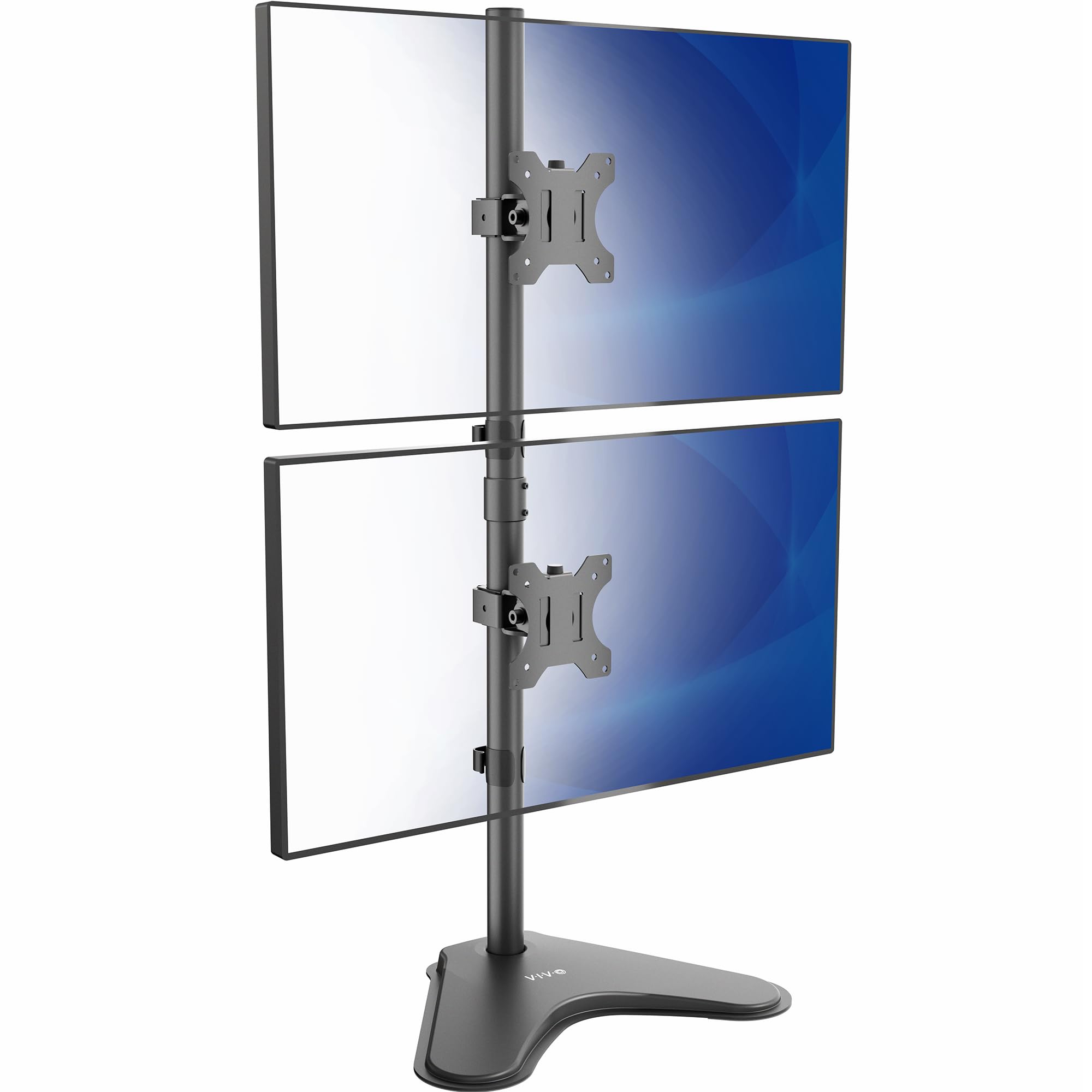
3,000+ ratings
Read Amazon ReviewsVIVO Vertical Dual Monitor Stand
The desk-mounted main model is the stronger fit for two larger screens in a side-by-side layout. Consider the vertical stand if you prefer stacked displays and have desk space for its freestanding base.
- This freestanding stand stacks two monitors vertically and supports screens up to 34 inches and 22 pounds each.
- It has a 15.4-by-12.4-inch base and offers tilt, swivel, rotation, and height adjustment.
- The main mount supports two screens up to 38 inches each and attaches to the desk with a clamp or optional grommet mount.
Is VIVO Dual Mount Worth It?
The VIVO Dual Ultrawide Monitor Desk Mount is worth considering if you want to support two large monitors on one adjustable desk mount.
Its combination of generous movement, height adjustment, cable clips, and clamp or grommet installation covers the needs of a flexible two-screen workstation.
Confirm monitor weight, size, and VESA compatibility, then measure the desk mounting point and the room needed for your intended layout.
If those checks work for both screens, this mount offers a practical way to position them while leaving more of the desktop open.
Your review at a glance
60,000+ ratings
Read Amazon ReviewsVIVO Dual Ultrawide Monitor Desk Mount
A flexible desk mount for users who want to position two VESA-compatible ultrawide monitors and reclaim desktop space.
- Supports two monitors, each up to 38 inches and 22 pounds.
- Compatible with VESA 75x75mm and 100x100mm mounting holes.
- Offers +90° to -90° tilt, 180° swivel, 360° rotation, and height adjustment along the center pole.
- Allows portrait or landscape monitor orientation.